Key takeaways
- The best social media collaboration tools centralize planning, approvals, publishing, and reporting in one place.
- Look for built-in approval workflows, role-based permissions, and real-time commenting to keep content moving.
- Hootsuite Social OS goes beyond collaboration by connecting intelligence, publishing, care, and AI orchestration.
- The right tool depends on your team size, approval complexity, and integration needs.
What is a social media collaboration tool?
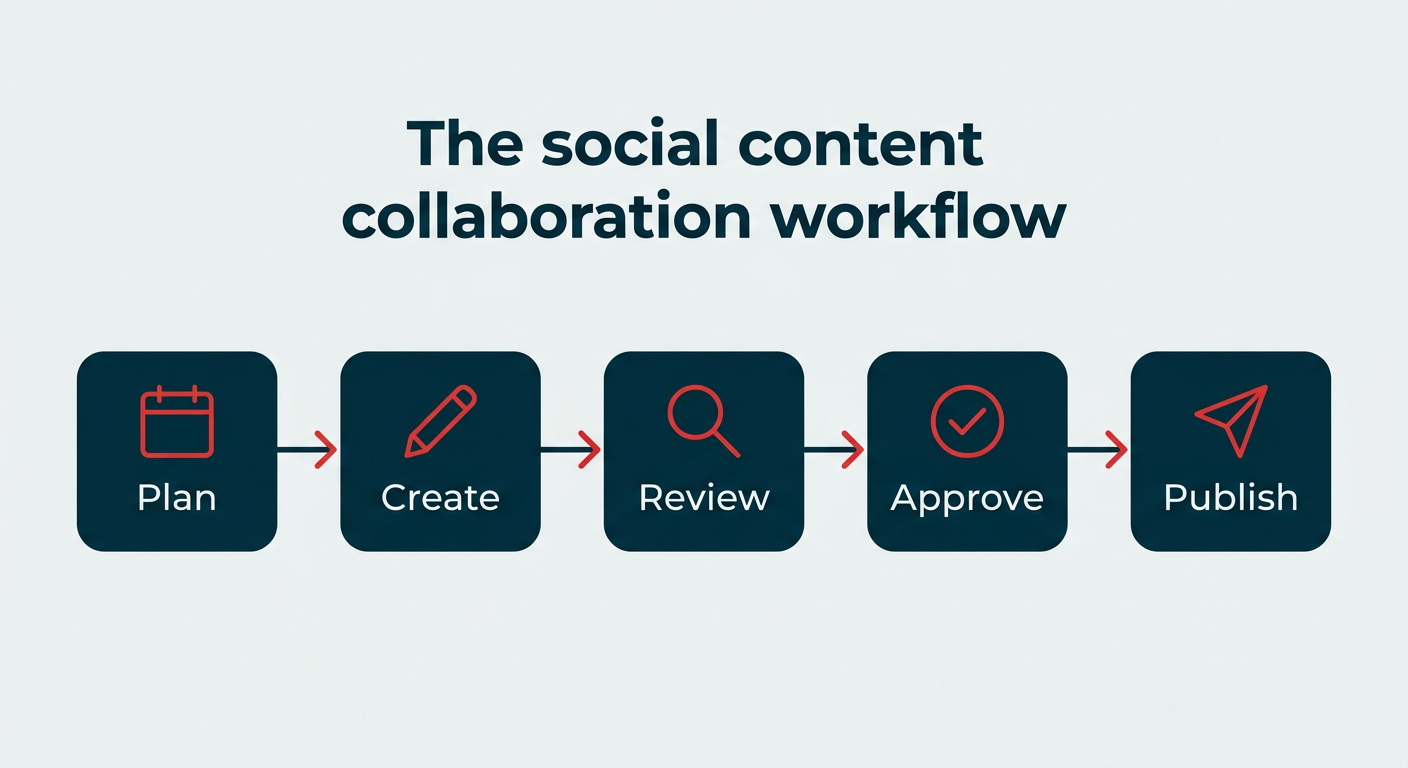
A social media collaboration tool is software that helps teams plan, create, review, approve, and publish content, all from one shared workspace.
It doesn’t just benefit marketing. The right tool brings marketing, creative, legal, and other stakeholders into the same workflow, with clear roles, approvals, and permissions (no more “who approved this?” moments).
In 2026, that definition has stretched. Gartner now treats social media management and listening as a single strategic market, and most platforms in this category layer AI-assisted drafting and routing on top of the workflow, which makes governance and audit trails just as important as the collaboration features themselves.
Why do social media teams need collaboration tools in 2026?
Social teams need collaboration tools because the work no longer sits with one person. Content volume, approval requirements, and real-time engagement all scale faster than headcount, and coordination is usually where things break first.
Here’s what makes cross-functional collaboration harder than it used to be:
- More channels, more formats: A single campaign might need vertical video, carousels, community replies, and paid variants across the 6–7 platforms people visit monthly, each with different owners and timelines.
- Tighter approval requirements: Regulated industries and large brands often need legal or compliance sign-off before anything publishes. Without structured routing, that review happens over email and gets lost.
- Real-time engagement expectations: Comments and DMs need answers within hours, not days. That only works when multiple people can triage from a shared queue without duplicating replies.
- AI in the workflow: When AI drafts replies or suggests content, someone still needs to review and approve it. Governed workflows keep AI output on-brand and on-policy.
- Multiple brands or clients: Agencies and multi-market teams need separated permissions and reporting so one client’s assets never surface in another’s workspace.
The common thread: collaboration problems are rarely about effort. They’re about visibility.
Bonus: Download our bundle of free customizable social media workflow templates and set up a clear approval process for your team in minutes.
What should you look for in a social media collaboration tool?
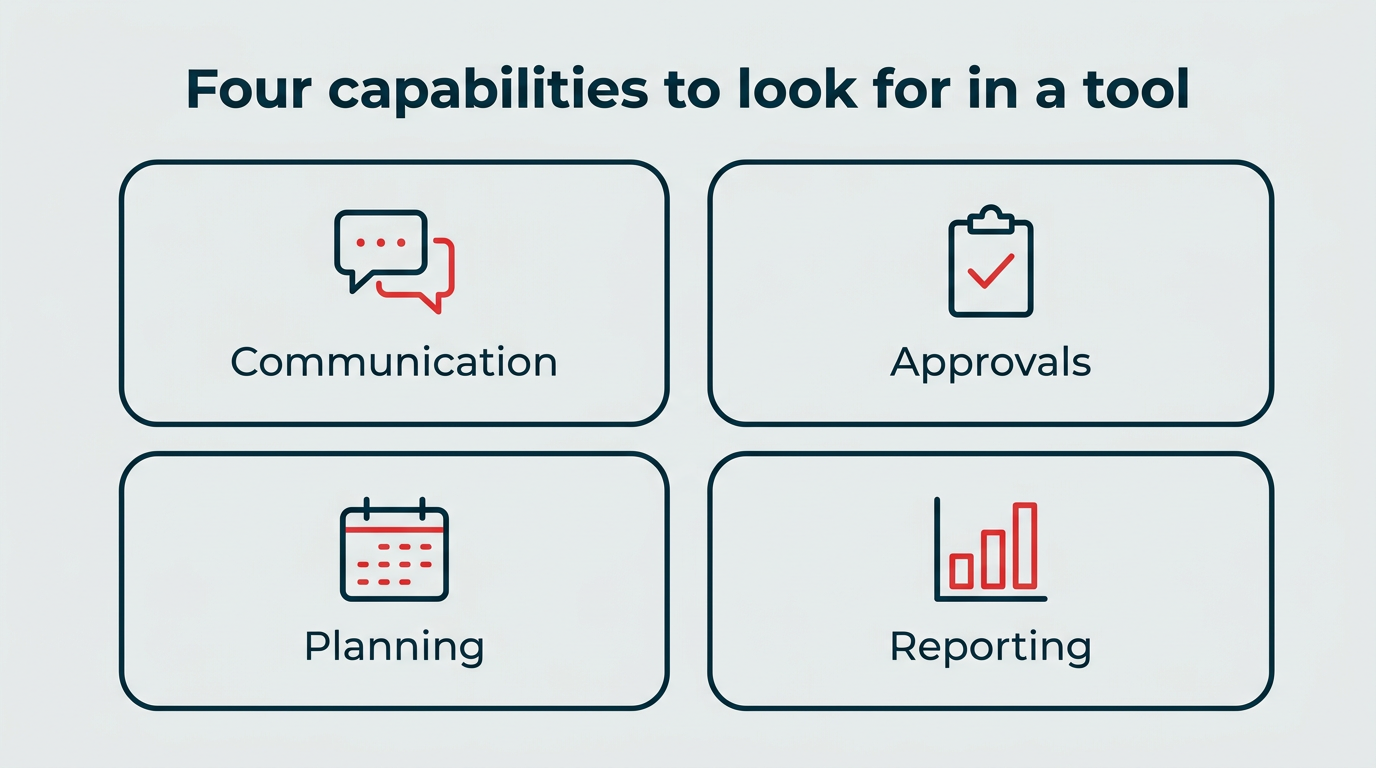
Look for a tool that handles communication, approvals, planning, and reporting in one place. Those four capabilities cover the moments where handoffs usually stall, so they’re the fastest way to narrow a shortlist.
Team communication and real-time commenting
A good social media collaboration tool should streamline team communication. Collaboration features like task assignments, approval tracking, and real-time commenting make this possible.
One of the biggest mistakes teams make is adding more tools to the toolbox. Suddenly, strategy lives in one platform, drafts in another, feedback in email, and quick questions in Slack.
This can easily create bottlenecks. You’re switching tabs, digging through threads, and trying to piece together context from scattered conversations.
To avoid the chaos, look for collaboration tools that centralize communication.
For example, in Hootsuite Social OS, Nest gives teams one unified inbox where they can assign conversations, hand off customer service inquiries, and see full message history in one view. Wisdom sits alongside it, so anyone on the team can ask questions about performance or workload without opening a separate reporting tool.
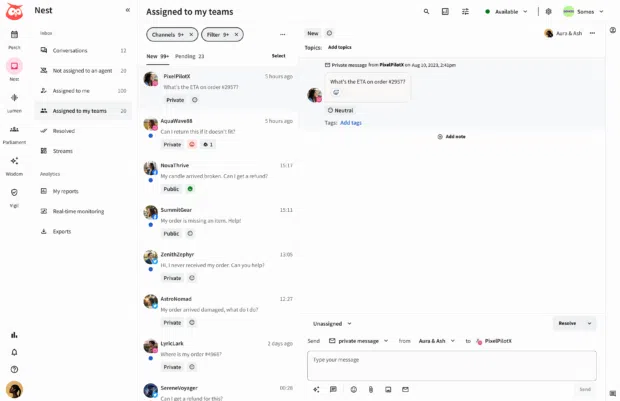
Real-time commenting also allows teams to collaborate on drafts and engagement without leaving the workflow.
Approval workflows and role-based permissions
Approvals are where most social workflows slow down, so this is worth checking carefully during a demo. Look for multi-step approval routing, clear draft statuses, and role-based permissions that define who can create, edit, approve, and publish.
Automation helps here too. Saved replies, automatic approval routing, and task triggers reduce repetitive work, which gives teams more time to collaborate on creative assignments or focus on strategy.
For example, Hootsuite’s engagement tools let you create saved replies for routine comments, questions, and DMs. Your team can respond faster, stay consistent, and keep customer conversations moving without typing the same message again and again.
On the governance side, Vigil applies policy and permission controls across the platform, so approval workflows leave an audit trail instead of a guess. That matters most for enterprise and regulated teams where an unapproved post carries legal or regulatory consequences, not just brand embarrassment.
Content planning and shared calendars
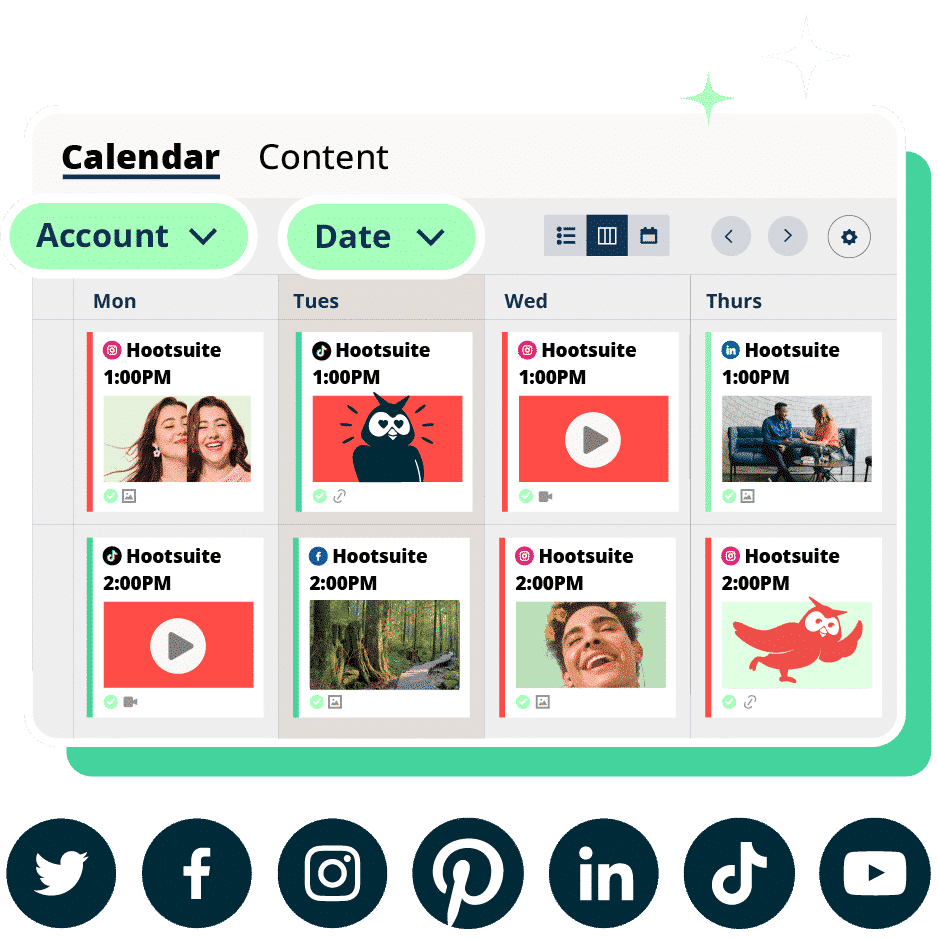
A strong social media collaboration tool should include a content calendar or planner so everyone can map out what’s scheduled, what’s in review, and what still needs to be created.
Because if your team can’t see what’s going out and when, you don’t really have collaboration.
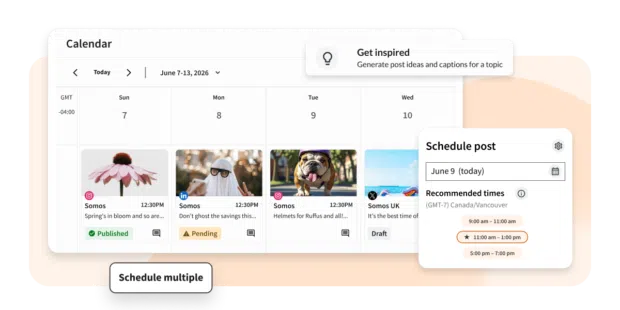
When your content calendar lives inside your social media management tool, team members can quickly scan upcoming posts across every platform, spot gaps before they become problems, and keep publishing consistently without endless meetings or spreadsheet updates.
Analytics and reporting
Strong collaboration tools don’t just help you create content. They help you prove it’s working.
Built-in analytics and reporting features give teams a shared view of performance, so creators, social media managers, and executives are all working from the same data.
Look for tools that make it easy to generate clear, shareable reports. That way, insights don’t get stuck in someone’s spreadsheet, and you can confidently show the impact and ROI of your social strategy. Lumen adds the social intelligence side of that picture, connecting what audiences are saying to what your content is actually delivering.
How we evaluated these social media collaboration tools
We assessed each tool on how well it supports a team working together, not just how well it schedules posts. Here’s the criteria we used:
- Collaboration depth: Approval workflows, role-based permissions, task assignment, and commenting on drafts.
- Supported platforms: Coverage across the major networks teams actually publish to.
- Scalability: How the tool handles growing teams, multiple brands, and client separation.
- Pricing transparency: Whether published pricing makes it easy to forecast cost per seat.
- Integration ecosystem: Connections to design, storage, CRM, and service tools your team already uses.
- AI and automation: Whether AI features reduce coordination work and stay under human review.
Pricing listed below reflects publicly available plans at the time of writing and may change.
How do the best social media collaboration tools compare?
Here’s how the tools in this roundup stack up at a glance:
Tool | Best for | Key collaboration features | Starting price | Ideal team size |
|---|---|---|---|---|
Hootsuite | All-in-one social collaboration and governance | Approval workflows, shared calendar, unified inbox, permissions | $99/user/month | Mid-size to enterprise |
Sprout Social | Analytics-led social teams | Shared inbox, approval workflows, reporting | Around $79/seat/month (Essentials, billed annually) | Mid-size to enterprise |
Agorapulse | Small teams and agencies | Shared inbox, calendar, client approvals | Around $79/user/month | Small to mid teams |
Planable | Visual content approvals | Multi-level approvals, post previews, client workspaces | Around $33/workspace/month | Small to mid teams |
Loomly | Structured content workflows | Approval steps, post ideas, asset library | Around $49/month billed yearly | Small to mid teams |
Trello | Campaign tracking | Task boards with assignments and comments | Free; paid from $5/user/month | Small to mid teams |
Monday.com | Project management | Custom workflows and shared dashboards | Free; paid from $9/seat/month | Mid-size teams |
ClickUp | Cross-team visibility | Task databases, custom tags, dependencies | Free; paid from $7/user/month | Mid-size to enterprise |
Slack | Real-time communication | Organized channels, app integrations, file sharing | Paid from $7.25/user/month | All team sizes |
Canva | Content creation | Shared templates, commenting, brand kits | Free; paid from $12/month | Small to mid teams |
What are the best all-in-one social media collaboration tools?
If your team wants everything in one place, planning, approvals, publishing, reporting, and inbox management, these platforms combine it all into a single system.
1. Hootsuite
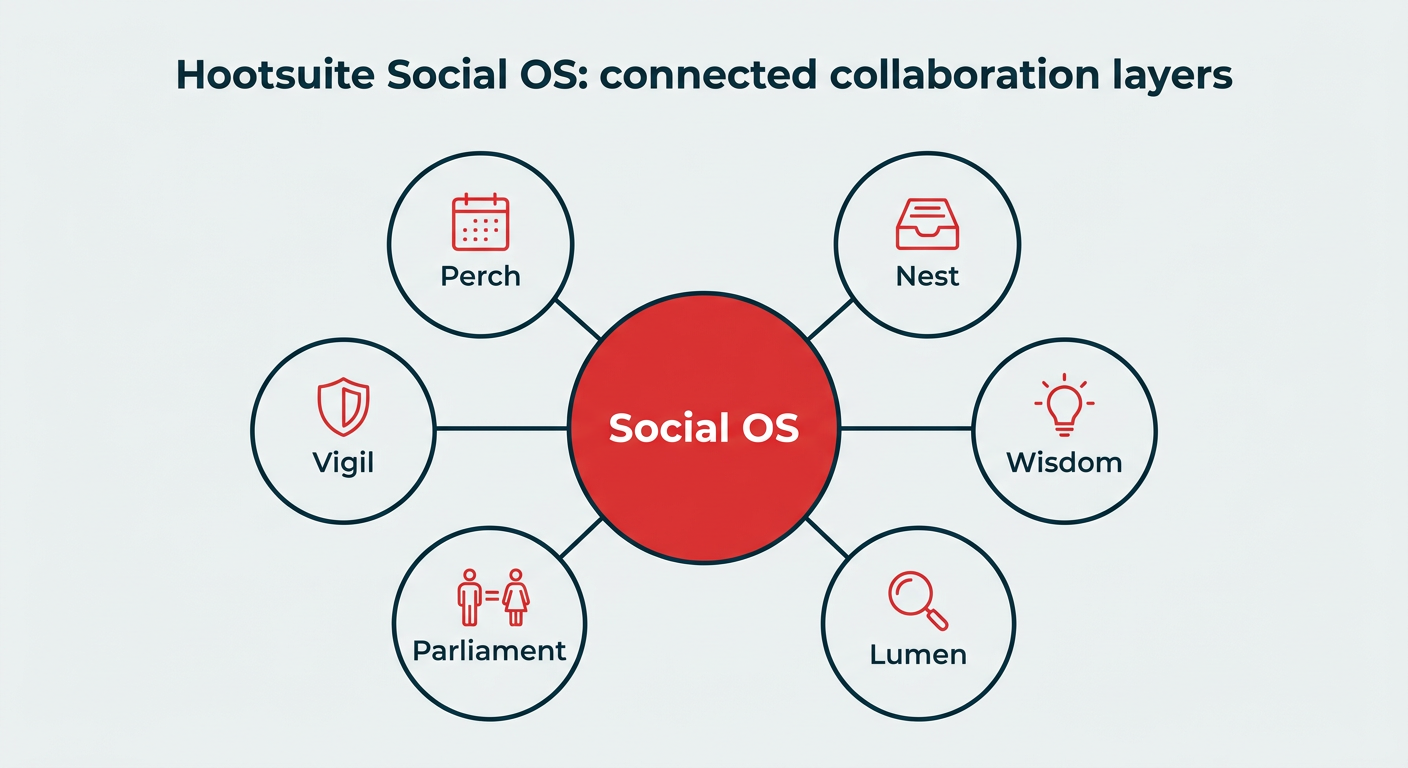
Hootsuite Social OS is a social operating system built for teams that need planning, publishing, engagement, and reporting to work as connected systems rather than separate tools. It replaces the tab-switching of Hootsuite Classic with a single governed workspace.
Teams can create an organization inside the platform to share access to multiple social accounts and manage workload across members. You choose who has access to what, assign work to specific people, manage multiple feeds from one place, and route messages to the right team.
Key features for collaboration:
- Perch: Content planning and publishing, including a shared calendar that shows organic and paid posts across drafted, scheduled, and live states.
- Nest: Customer care and unified inbox, so DMs, comments, and service handoffs sit in one queue with full conversation history.
- Wisdom: AI orchestration that answers questions about performance and workload in plain language, with a native Slack integration so teams can pull context without leaving chat.
- Lumen: Integrated insights and listening for audience and competitive context.
- Parliament: Employee advocacy, so approved content reaches wider internal networks.
- Vigil: Governance, permissions, and audit trails across the platform.
The bulk scheduler also lets teams queue large batches of posts at once on the Advanced plan, which frees up time for the work that actually needs a human.
Integrations extend collaboration past social itself. Hootsuite connects with CRM systems and tools like Canva, Miro, Dropbox, and Zendesk. With the Zendesk app, information from DMs and comments can be added to service tickets, and ticket streams appear inside the dashboard so support and social stay aligned.
That makes Hootsuite a strong fit for teams managing multiple social and customer service channels, or agencies overseeing several brand accounts at once.
Pros:
- Approvals, permissions, and audit trails built in rather than bolted on
- Planning, engagement, listening, and reporting in one connected system
- Deep integration ecosystem across design, storage, CRM, and service tools
- Scales from mid-size teams to enterprise and agency structures
Cons:
- More platform than a solo creator or two-person team needs
- Advanced governance and listening features sit on higher-tier plans
Best for: Social teams that need to cross-collaborate and manage multiple brand accounts in one governed place.
Pricing: Standard is $99/user/month, Advanced is $249/user/month, and Enterprise pricing is custom. All plans include a 14-day free trial.
2. Sprout Social
Sprout Social is a social media management platform known for its reporting depth and shared inbox. Teams use it to route messages, run multi-step approvals, and build presentation-ready performance reports for stakeholders.
Key features:
- Shared inbox with message assignment and internal notes
- Approval workflows for drafts and replies
- Detailed analytics and exportable reports
- CRM and helpdesk integrations
Pros: Strong reporting, clean interface, solid publishing controls for mid-size teams.
Cons: Per-seat pricing gets expensive as teams grow, and insight and action tend to live in separate motions rather than one connected loop.
Best for: Analytics-led teams that report to leadership frequently.
Pricing: Paid plans start at $79 per seat per month for the Essentials tier, billed annually ($99/seat/month billed monthly).
3. Agorapulse
Agorapulse is a social media management tool aimed at small teams and agencies that need shared queues without enterprise complexity. Its inbox and calendar are the main collaboration draws.
Key features:
- Unified inbox with assignment and moderation rules
- Shared content calendar with draft states
- Client approval workflows
- Basic social listening and competitor reporting
Pros: Straightforward to set up, useful moderation automation, agency-friendly reporting.
Cons: Listening and analytics are lighter than enterprise platforms, and approval depth is limited for complex sign-off chains.
Best for: Small teams and agencies that want a shared inbox and calendar without heavy configuration.
Pricing: Paid plans start around $79 per user per month, billed annually.
What are the best tools for content approval and scheduling?
Some teams don’t need a full management suite. They need approvals to stop dragging. These tools are built around review cycles and scheduling collaboration.
4. Planable
Planable is a content approval and planning tool built around previewing posts exactly as they’ll appear on each network. Reviewers comment directly on the post rather than in a separate thread.
Key features:
- Multi-level approval workflows
- Platform-accurate post previews
- Client and stakeholder workspaces with limited access
- Comment threads attached to individual posts
Pros: Excellent for client sign-off, low learning curve for non-marketers, clear approval status.
Cons: Analytics and engagement features are limited, so most teams pair it with another platform.
Best for: Teams whose main bottleneck is stakeholder or client approval.
Pricing: Paid plans start around $33 per workspace per month.
5. Loomly
Loomly is a content calendar and workflow tool that walks teams through building, reviewing, and scheduling posts in a defined sequence. It’s useful when you want structure without a lot of setup.
Key features:
- Step-based approval workflow with custom states
- Shared content calendar and post ideas
- Brand asset library
- Post-level comments and version history
Pros: Clear workflow structure, helpful prompts for content ideas, easy for junior team members.
Cons: Reporting is basic, and engagement tools are thinner than dedicated inbox platforms.
Best for: Teams that want a defined, repeatable publishing process.
Pricing: Paid plans start around $49 per month billed yearly, or $65 per month billed monthly.
What are the best project management tools for social media teams?
Not every team needs a social-first tool. These platforms handle social media project management alongside the rest of your work.
6. Trello
While not specifically geared towards social media, Trello is one of the best project and task management tools for social teams.
Trello offers a visual workspace for tracking tasks, assignments, and social posts. Teams can organize their projects or campaigns in boards, and separate individual tasks into cards that can be dragged to different boards based on their status.
Trello integrates with Hootsuite, so you can send tasks or posts to your Trello board directly from your Hootsuite dashboard.
Pros: Fast to learn, generous free plan, clear visual status tracking.
Cons: No publishing or approval features for social content, and large boards get unwieldy.
Best for: Trello is best for keeping visual tabs on the status of certain tasks or campaigns.
Pricing: Trello offers a free plan for individuals. Paid plans start at $5 per user per month, billed annually.
7. Monday.com
Monday.com is a project management tool that can help social teams manage tasks and communicate with teams outside of social.
The platform is user-friendly and visual, making it easy for anyone on your team to get started. Use Monday.com to plan tasks, make creative requests for your design team, and track the status of different campaigns.
With the Monday.com app, you can import all your scheduled posts to a board to get an overview of your planned content. This is convenient if other teams in your organization use Monday.com and want visibility into what’s coming up on social.
Pros: Highly customizable workflows, good cross-department visibility, strong automation options.
Cons: Setup takes time, and social publishing still happens elsewhere.
Best for: Project management across teams.
Pricing: Monday offers a free plan for individuals. Paid plans for teams start at $9 per seat per month.
8. ClickUp
ClickUp is an all-in-one productivity platform. And while not specifically designed for social media, it’s great for teams that like structure (and lots of visibility).
Inside ClickUp, you can build detailed task databases, organize projects by content type or campaign, assign work to specific team members, and filter everything by custom tags.
Its biggest strength is transparency. Every task, deadline, and dependency is visible, which makes it much easier to spot bottlenecks or collaboration gaps.
Pros: Deep customization, strong reporting on task throughput, affordable per-seat pricing.
Cons: Feature volume can overwhelm new users, and it has no native social publishing.
Best for: Cross-collaboration across your organization.
Pricing: ClickUp offers a free plan for individuals. Paid plans for teams start at $7 per user per month, billed yearly.
What are the best communication and design tools for social media collaboration?
These two aren’t social media platforms, but most teams lean on them daily for feedback and creative production.
9. Slack
Slack is a messaging platform that helps teams stay connected in real-time. For social teams, it’s great for quick updates, sharing inspiration in a dedicated channel, or getting instant feedback. It’s real-time collaboration made easy.
With the Slack app for Hootsuite, you can share social posts directly to your team’s Slack channel for instant feedback. Wisdom also integrates natively with Slack, so teams can ask performance questions and share insights without leaving the channel they’re already working in.
Pros: Instant feedback loops, wide integration support, easy channel organization by campaign or client.
Cons: Decisions get buried in threads, and it has no approval or audit trail on its own.
Best for: Sharing updates, announcing new posts, or communicating ideas with your team in real-time.
Pricing: Paid plans for teams start at $7.25 per user per month with annual prepayment.
10. Canva
Canva is a content creation tool that offers thousands of free templates, making it easy to create professional, publish-ready graphics.
Plus, if you need a second opinion or want to hand off your design to someone else on the team, you can also share, collaborate, and comment on designs directly in the platform.
If you have a Hootsuite account, connect it to Canva to upload creative assets directly in Composer, so your team can quickly access them.
Pros: Fast design production without a designer, shared brand kits and templates, comments on designs.
Cons: Version control gets messy on large teams, and it lacks social scheduling depth.
Best for: For small teams that don’t have an in-house graphic design team, Canva is essential to the content creation process.
Pricing: Canva offers a free plan as well as paid plans that start at $144 per year for one person (about $12 per month).
How to choose the right social media collaboration tool
Start with where your workflow breaks, not with the longest feature list. Most teams pick well when they weigh these five factors against the comparison table above.
- Team structure and workflow complexity: A two-person team can work from a shared calendar. A team with legal review and regional owners needs multi-step routing and permissions.
- Number of accounts, brands, or clients: Agencies and multi-market brands should test client separation and permission scoping before committing.
- Approval depth: Ask how many review steps a post can pass through, and whether the tool records who approved what.
- Analytics and reporting needs: If you report to leadership monthly, look for exportable reports and customizable dashboards rather than screenshot-and-paste workflows.
- Budget and pricing model: Per-seat pricing scales differently than per-account pricing. Model the cost at the team size you expect in 12 months, not today.
It’s also fine to keep a few supporting tools around a core platform. Many teams pair their social collaboration tool with Google Workspace for docs and notes (plans start at $7 per user per month), Dropbox for secure asset storage (team plans start at $15 per user per month), Miro for brainstorming and visual planning (paid plans from $8 per member per month billed yearly), and Zapier for connecting apps and automating triggers (paid plans from $19.99 per month).
The goal is fewer places where context goes missing, not more tools for their own sake. Once your stack is set, make sure it connects to the rest of your marketing. This guide to social media integration covers how to tie social into your website and wider workflows.
Compare Hootsuite plans to see which tier matches your team’s approval and reporting needs.
Best practices for social media team collaboration
Tools only work as well as the process around them. These five habits keep social media team collaboration from sliding back into scattered threads.
- Define roles and permissions first: Decide who drafts, who edits, who approves, and who publishes before you invite anyone in. Ambiguity is what creates off-brand posts.
- Standardize your approval workflow: One documented path for every post type, including a clear rule for what needs legal or compliance review.
- Build a shared asset library: Keep logos, templates, brand guidelines, and approved copy in one place so nobody rebuilds assets from scratch.
- Set response guidelines for engagement: Saved replies, escalation rules, and tone guidance let anyone on the team answer confidently without waiting for a manager.
- Review and refine on a set cadence: Run a social media audit quarterly to check what’s working, retire dead workflows, and tighten anything that’s slowing approvals.
Collaboration is essential for social media marketing teams. When the workflow, roles, and tooling line up, teams save time, communicate better, and publish more consistent content.
FAQ: Social media collaboration tools
What are social media collaboration tools and why do teams need them?
How do social media collaboration tools improve workflow and governance?
What features should you look for in social media collaboration software?
What are the best social media collaboration tools for enterprise teams?
How do social media collaboration tools compare to project management tools?
What are the top 5 collaboration tools for social media teams?
Can social media collaboration tools manage multiple brands or clients?
How much do social media collaboration tools cost?
What is the difference between a social media collaboration tool and a social media management tool?
How do AI features improve social media collaboration?
Save time managing your social media marketing strategy with Hootsuite. Publish and schedule posts, find relevant conversions, measure results, and more â all from one dashboard. Try it free today.
The post Best social media collaboration tools for 2026 appeared first on Social Media Marketing & Management Dashboard.
br https://ift.tt/QHKwOBP
https://ift.tt/SvGReIY
Comments
Post a Comment